
Super Premium tools
Tax documents
Keep tax papers in one place, with a reminder before each one is due.
Plan: Super Premium.
What this page is for
- Business owner
- Upload tax documents, set due dates, mark them filed, and hand them to your accountant.
- Accountant / Payroll
- Upload and track the business's tax documents and their due dates.
Top tasks
- Upload a tax document
- Set a due date
- Mark filed
- Hand over to an accountant
- Pick up a tax handover
The page at a glance
Every button
What each button does, when to use it and what happens next. In the app, tap the question mark next to a button for the short version.
Request upgrade to Super Premium
- What it does
- Sends a request to the MOM sales team inside the app. You can add a short note.
- When to use it
- When you want the Super Premium tools.
- What happens
- The MOM sales team gets your request and contacts you. Your plan does not change until it is agreed and paid.
Who can use it: Business owner
Save tax document
- What it does
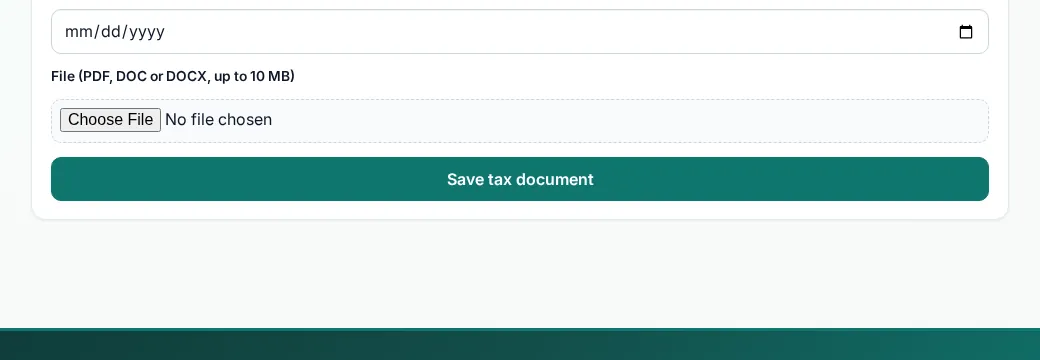
- Uploads a tax document so it is kept with your book.
- When to use it
- When you receive or file a tax document.
- What happens
- The document is listed on the Tax page.
Who can use it: Business owner, Accountant / Payroll
How to
For Business owner
Upload a tax document
- Open Tax documents.
- Choose a PDF, DOC or DOCX file up to 10 MB.
- Add a due date if it has one, then upload.
Mark a document filed
- Find it in the list.
- Tap Mark filed. The reminder stops.
Hand it to your accountant
- Tap Hand over on the document.
- Pick yourself or an Accountant / Payroll person.
- It becomes a Payroll / tax item in their handovers.
For Accountant / Payroll
Upload a tax document
- Open Tax documents.
- Choose a PDF, DOC or DOCX file up to 10 MB.
- Add a due date if it has one, then upload.
Mark filed
- Find the document.
- Tap Mark filed.
Tips
- Upload documents as soon as you receive them.
Common mistakes
- Uploading a photo of the wrong page. Check the file before you save.
Good to know
- Up to 60 documents.
- A reminder shows 7 days before the due date and when it is overdue, until it is marked filed.
- Only the business owner can remove a document.
Still need help?
Email support@masteroperationsmanagement.com. For plans and payments, email sales@masteroperationsmanagement.com.
WhatsApp: @master.ops.mgmt (opens WhatsApp)Can’t open? Search @master.ops.mgmt in WhatsApp