
Plans, data and account
Plans
Compare the plans and ask for an upgrade. No payment is taken in the app.
What this page is for
- Business owner
- See your plan, compare it with the others, and ask your customer service rep (CSR) for an upgrade.
- General Employee
- See which plan the business is on. Only the business owner can ask for an upgrade.
- Sales Staff
- See which plan the business is on. Only the business owner can ask for an upgrade.
- Inventory Clerk
- See which plan the business is on. Only the business owner can ask for an upgrade.
- Accountant / Payroll
- See which plan the business is on. Only the business owner can ask for an upgrade.
Top tasks
- Compare plans
- Check employee seats in use
- Request an upgrade
- See what each plan includes
The page at a glance
Every button
What each button does, when to use it and what happens next. In the app, tap the question mark next to a button for the short version.
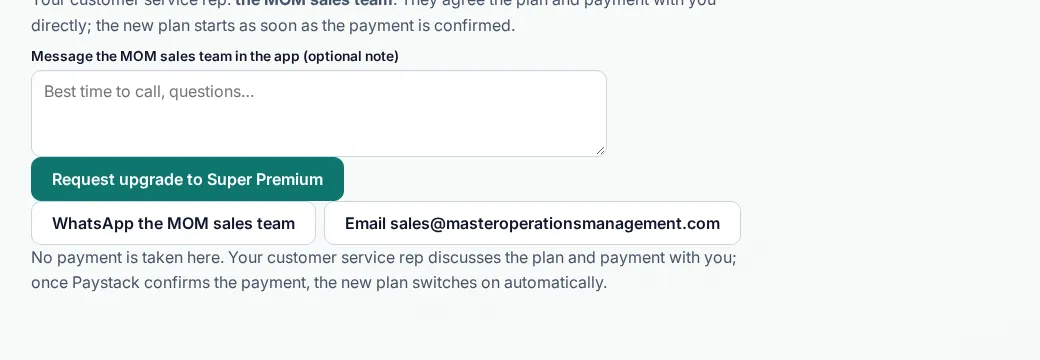
Request upgrade to Super Premium
- What it does
- Sends a request to the MOM sales team inside the app. You can add a short note.
- When to use it
- When you want the Super Premium tools.
- What happens
- The MOM sales team gets your request and contacts you. Your plan does not change until it is agreed and paid.
Who can use it: Business owner
Email the sales team
- What it does
- Opens your mail app with a message to sales@masteroperationsmanagement.com.
- When to use it
- When you prefer email for questions about plans.
- What happens
- Your mail app opens. You send the message yourself.
Who can use it: Business owner
How to
For Business owner
Request an upgrade
- Open Plans.
- Check the monthly and annual amounts.
- Add an optional note and tap Request upgrade.
- Your CSR agrees the plan with you and sends a Paystack payment link.
- Your new plan starts once the payment is confirmed.
For General Employee, Sales Staff, Inventory Clerk, Accountant / Payroll
Want a feature on a higher plan?
- Tell your business owner.
- They can ask for an upgrade from this page.
Tips
- Quarterly plans are 10% off; yearly plans are 20% off.
Common mistakes
- Expecting the plan to change as soon as you ask. It changes after it is agreed and paid.
Good to know
- Monthly prices: Starter ₦15,000, Business ₦35,000, Pro ₦89,000, Super Premium ₦350,000.
- Quarterly plans are 10% off; yearly plans are 20% off.
- When you upgrade mid-period, you only pay the difference for the days left.
- The demo is a preview with sample data. Pilot shops use MOM free for 3 months. Places are limited; we confirm each shop.
- Join the pilot from the Demo & trial page or any Ask to join button: fill in the pilot form (name, contact, city, what you sell) and accept the terms. Pilot shops use MOM free for 3 months. If sign-ups are paused, the form will tell you.
- From 3 days before your trial ends (Lagos time), you see a banner: Your trial ends on (date). Tap Move to a paid plan to open this page, or Contact sales to reach us on WhatsApp @master.ops.mgmt or the support page. The same notice shows in Notifications.
- After day 14 an unpaid trial book is read-only: you and your staff can still open every page and see all your data, but nothing can be changed. Only the MOM Owner can reactivate it, or extend the trial.
Coming soon
- Coming soonApprovalsApprovals are coming soon. They are not in MOM yet.
- Coming soonA second shop under the same ownerRunning more than one shop from one owner sign-in is coming soon. MOM works with one location today.
Still need help?
Email support@masteroperationsmanagement.com. For plans and payments, email sales@masteroperationsmanagement.com.
WhatsApp: @master.ops.mgmt (opens WhatsApp)Can’t open? Search @master.ops.mgmt in WhatsApp