
Plans, data and account
Cancel MOM
There is no one-click cancel. You ask, your customer service rep talks it through, then MOM switches the account off.
What this page is for
- Business owner
- Ask to cancel. Nothing changes until your customer service rep (CSR) has talked it through with you.
- General Employee
- Only the business owner can ask to cancel MOM.
- Sales Staff
- Only the business owner can ask to cancel MOM.
- Inventory Clerk
- Only the business owner can ask to cancel MOM.
- Accountant / Payroll
- Only the business owner can ask to cancel MOM.
Top tasks
- Ask to cancel
- Download your data first
- Tell your business owner
The page at a glance
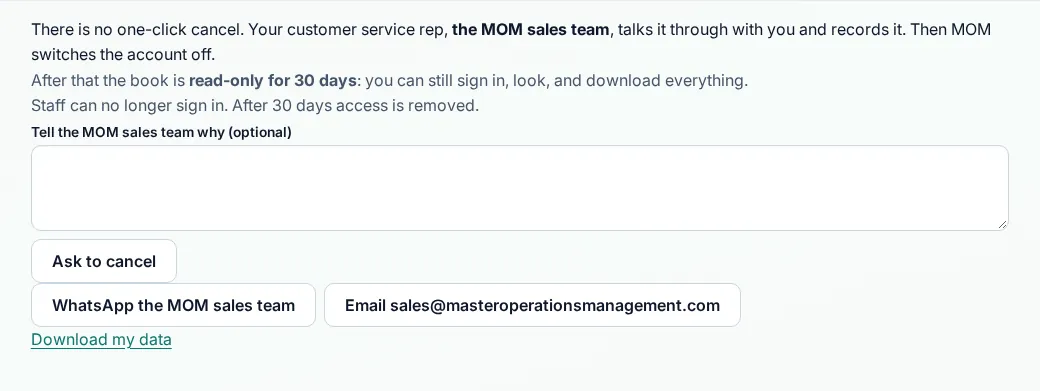
Every button
What each button does, when to use it and what happens next. In the app, tap the question mark next to a button for the short version.
Ask to cancel
- What it does
- Sends a cancel request to the MOM sales team, with an optional reason.
- When to use it
- Only when you have decided to stop. There is no one-click cancel.
- What happens
- The MOM sales team talks it through with you. After MOM switches the account off, the book is read-only for 30 days.
Who can use it: Business owner
Email the sales team
- What it does
- Opens your mail app with a message to sales@masteroperationsmanagement.com.
- When to use it
- When you want to talk about cancelling by email first.
- What happens
- Your mail app opens. You send it yourself.
Who can use it: Business owner
How to
For Business owner
Ask to cancel
- Open Cancel MOM.
- Tell us why if you like. This is optional.
- Tap Ask to cancel. Your CSR contacts you.
- After MOM switches the account off, you have 30 days to look and download.
For General Employee, Sales Staff, Inventory Clerk, Accountant / Payroll
Questions about the account?
- Ask your business owner.
Tips
- Download your data before you ask to cancel.
Common mistakes
- Expecting a one-click cancel. MOM talks it through with you first.
Good to know
- After switch-off the book is read-only for 30 days. Staff can no longer sign in.
- After 30 days access is removed.
Still need help?
Email support@masteroperationsmanagement.com. For plans and payments, email sales@masteroperationsmanagement.com.
WhatsApp: @master.ops.mgmt (opens WhatsApp)Can’t open? Search @master.ops.mgmt in WhatsApp